
Download Free version Standard Trade CO for Windows.
Windows supports 7–11 (32 и 64 bit). We recommend to read of instructions before start.
Modem setup instructions Installation instructions Send a SMS instructions

About the program
Implement SMS marketing functions with the Standard Trade CO program. Attract new customers, retain old ones by informing, conducting surveys, advertising your products and services. Perform segmentation and personalization of your customers, your customers should receive SMS with information intended only for them. Organize feedback. Your customer base remains with you.
With the help of SMS, systems for remote control, control and monitoring are organized. Solutions based on Standard Trade CO are easy to create and integrate into the general scheme of various systems. Standard Trade CO provides graphical interfaces for customization and logs all received and sent messages.
Interface
The program implements an interface for the most convenient and fast work. The interface of the contacts directory (notebook) and the interface for working with messages have been implemented.
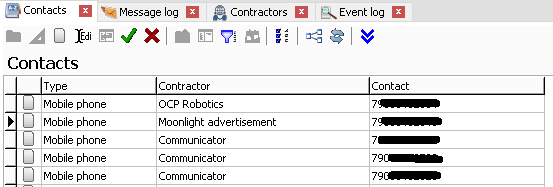
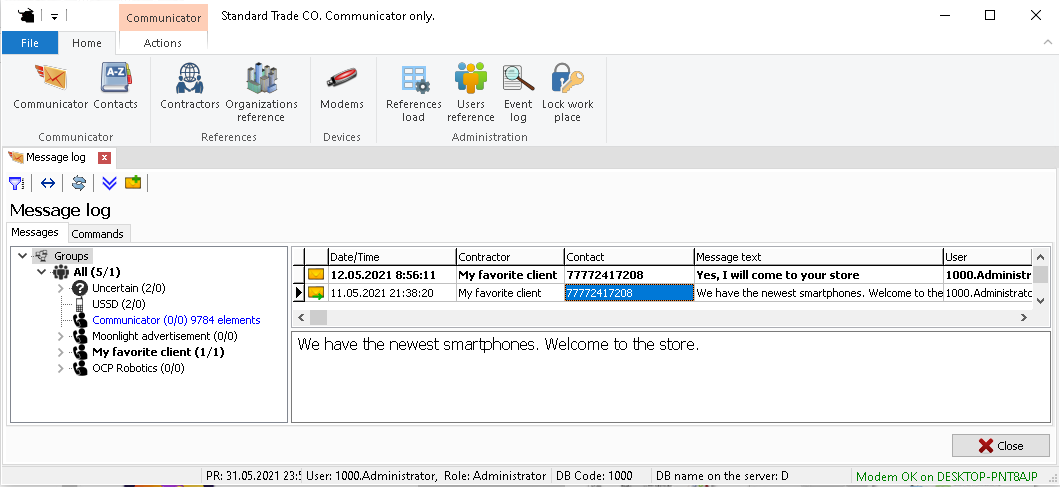
The interfaces contain selection filters to quickly find the required data.
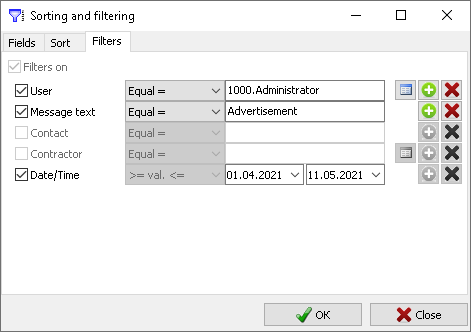
Additionally, there is an interface for viewing the program logs.
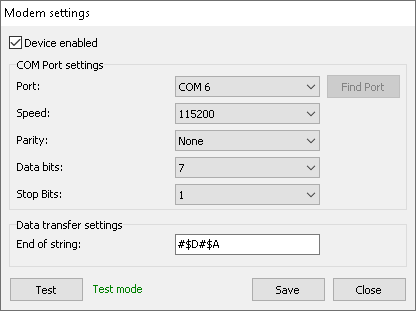
There is a separate interface for configuring a GSM modem or phone.
Equipment
The program can work with any GSM modems, gateways and phones that can receive and send SMS messages via the COM / USB port and work with AT commands in PDU mode.
The program was tested on the HUAWEI E3531 modem, which was purchased from a GSM operator and re-flashed to be able to emulate a COM port.
You can buy a GSM modem (or a whistle, as the people say) and choose the tariff you like from your operator.
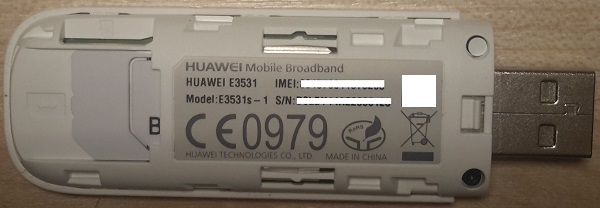
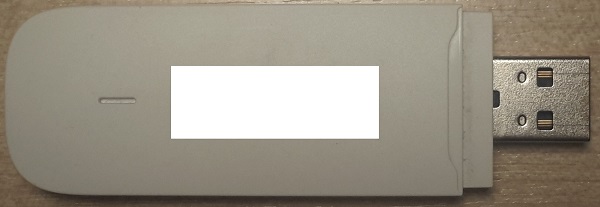
The program was also tested with Nokia phones and showed excellent results.
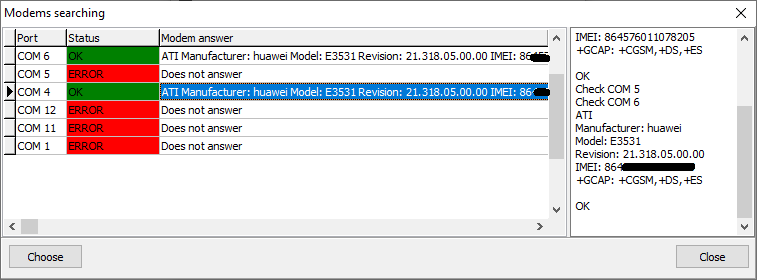
For convenience, the equipment search functionality has been implemented (starting from version 2.16). The program polls open ports and displays a list of connected modems and phones. When choosing equipment from the list, the program will automatically reconfigure.
Safety
The program is provided with password access.
Each operator can have their own mailing list.
Reliability and resiliency
Particular attention is paid to reliability and resiliency in Standard Trade CO. You can entrust the program with lengthy processes of sending and receiving messages. The program monitors the performance of the equipment and, in case of its failure, independently re-initializes the connections.
Integration with Excel
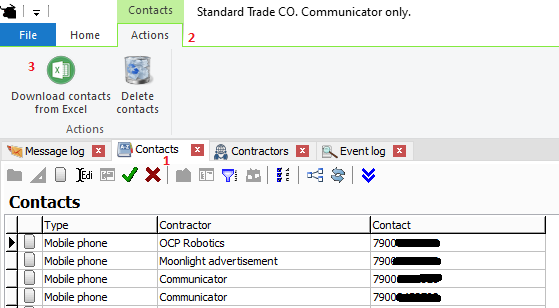
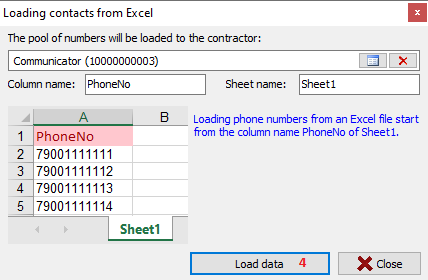
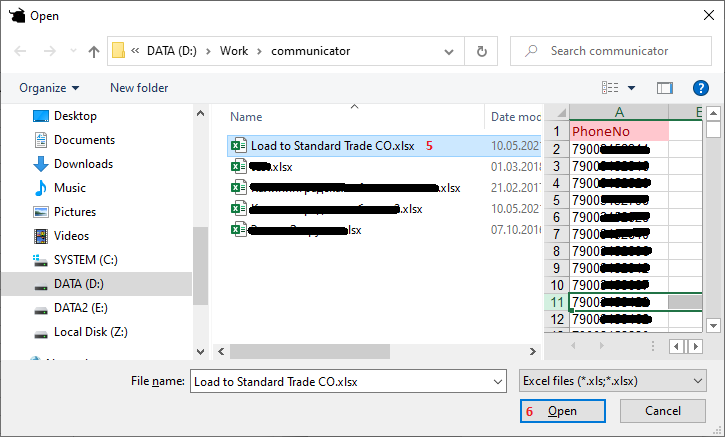
It is possible to quickly load a pool of numbers from Microsoft Excel or text files.
Integration with MS SQL
Since the program uses the MS SQL Server DBMS, it is possible to send messages using a record directly to the dbo.JR_MESSAGES table in the DUKEN database. The program will analyze new messages for sending and transfer them to the modem phone or gateway.
This method of sending allows sending bypassing the program's user interface, which can increase the level of automation when sending messages, excluding human participation.
MS SQL script for sending a message by writing it to the program database:
--The message ID is obtained using the dbo.ufnGlobalID procedure
DECLARE @NewID BIGINT
--UserID can be obtained from table [dbo]. [REF_USERS].  2 - Administrator
DECLARE @UserID BIGINT = 2
DECLARE @StrMessage VARCHAR(MAX) = 'Message Text'
DECLARE @NUMBER VARCHAR(36) = 'message recipient phone number'
DECLARE @DatabaseID SMALLINT
EXECUTE dbo.ufnGlobalID 'JR_MESSAGES', @NewID OUTPUT, @DatabaseID OUTPUT
INSERT INTO dbo.JR_MESSAGES
   (ID, DATE_TIME, [USER], ITEM_STATE, SMS_NO, MESSAGE_TEXT, ABONENT, DIRECTION)
VALUES (@NewID, GETDATE(), @UserID, 'L', 0, @StrMessage, @NUMBER, 2)
Received messages can also be retrieved by querying the DUKEN database of the dbo.JR_MESSAGES table.
MS SQL script for viewing received messages:
SELECT DATE_TIME, ABONENT, MESSAGE_TEXT
FROM dbo.JR_MESSAGES
WHERE DIRECTION = 1
ORDER BY DATE_TIME DESC
Installation features
The program can be installed on Windows 7–10, 32 and 64 bit.
Make sure Windows does not require a restart before installing.
If the program was installed incorrectly, check that all Windows updates are installed.
See the full Standard Trade installation instructions for details.
Useful materials
If you have questions about Standard Trade CO, you can write to us using the contact form